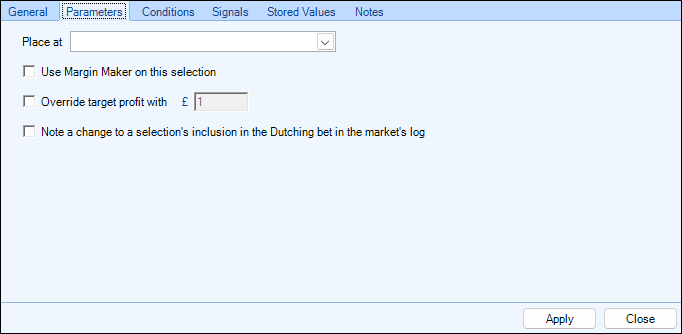
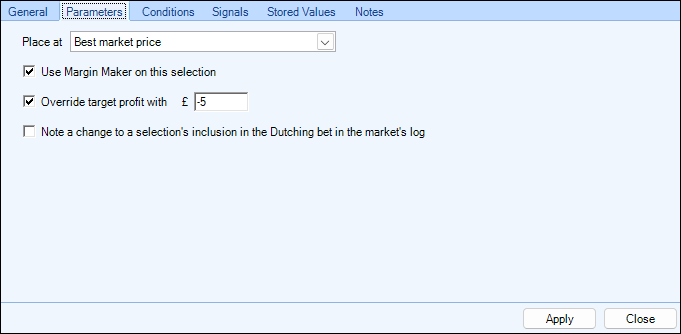
When using the 'Dutching - Include a Selection' rule type, the Parameter area will appear like this
The first option lets you tell the rule where it is to submit the bet in the market, all the 'Place at' options available to you are the same as when placing a regular bet, full details of each option can be found on the 'Place At (Parameters)' tab. As Dutching bets will always be Back bets, the 'Best market price' will take the current best back price, and the 'Reverse market price' will offer at the current best lay price.
The next option allows you to choose if you want to use a 'Margin Maker' on this selection, the 'Margin Maker' percentage to use is set on the 'Dutching Bet Placement' tab.
For full details on the 'Margin Maker' and how it works please refer to this page of this user guide from the manual dutching section. Note: Margin Maker can only be applied to one selection when placing dutching bets.
The 'Override Target profit with' option (often referred to as 'variable dutching') allows you to set a specific profit or loss value for an individual selection
An example of when using the 'Override Target Profit' could be in a correct score market of a football match where you have dutched several low scoring outcomes for a £20 target profit, however from these outcomes you might feel its less likely to be an away win, so you could override the target profit of the 0-1 and 0-2 correct scores for a lower profit of say £10
Or you could even set it to a small loss one or both these correct scores by adding a 'minus' symbol before the value as shown in the image above
The final option as the wording suggests allows you to write a note in the Bet Angel log for the market when a selection's inclusion in a dutching bet is changed. More details about the Bet Angel logs can be found here